UserPanel Apps Overview
The Apps page on the NavWiz UserPanel provides access to all available applications for the AMR. These apps are used for testing, calibration, manual control, and diagnostics.
| No. | App Name | Description |
|---|---|---|
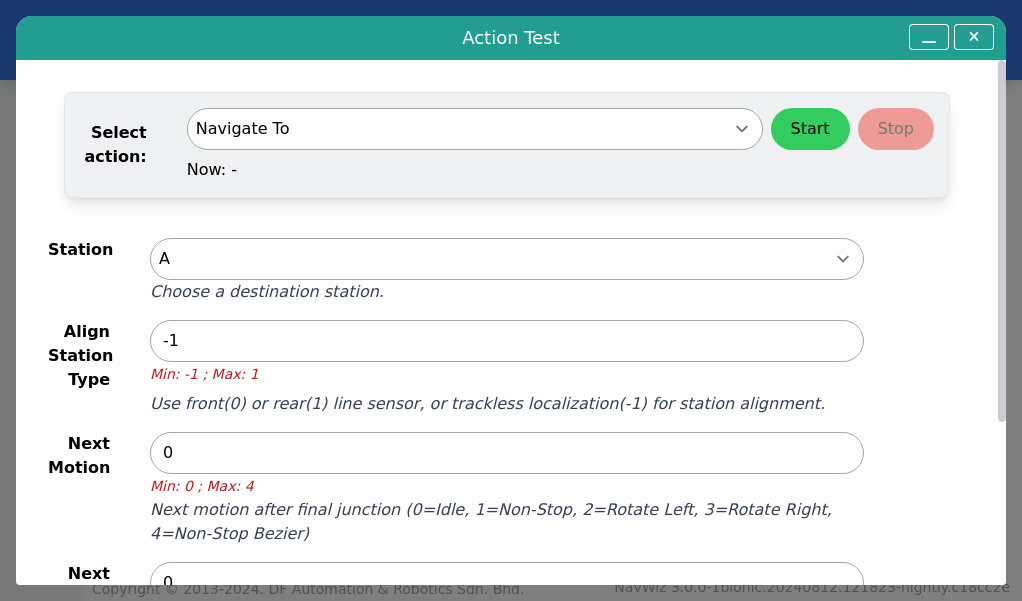
| 1 | Action Test | Manually execute individual AMR actions for testing purposes |
| 2 | Calibration | Recalibrate AMR parameters (battery, line sensor, motor, PID) |
| 3 | Development Mode | Development and debugging tools |
| 4 | Hardware Test | Function tests for all AMR hardware components |
| 5 | Homing | Navigate AMR back to its Home Station automatically |
| 6 | Manual Control | Manually control AMR movement without track (trackless version only) |
| 7 | Manual Line Follow | Manually control AMR movement on the track |
| 8 | Wi-Fi Test | Test the strength of the AMR's WiFi connection |
Action Test allows users to manually trigger any action available for the AMR. This is useful for verifying individual actions before incorporating them into a Task Template.