NavWiz Boot Screen
The NavWiz boot screen is displayed every time the AMR is powered up. It contains the following components:
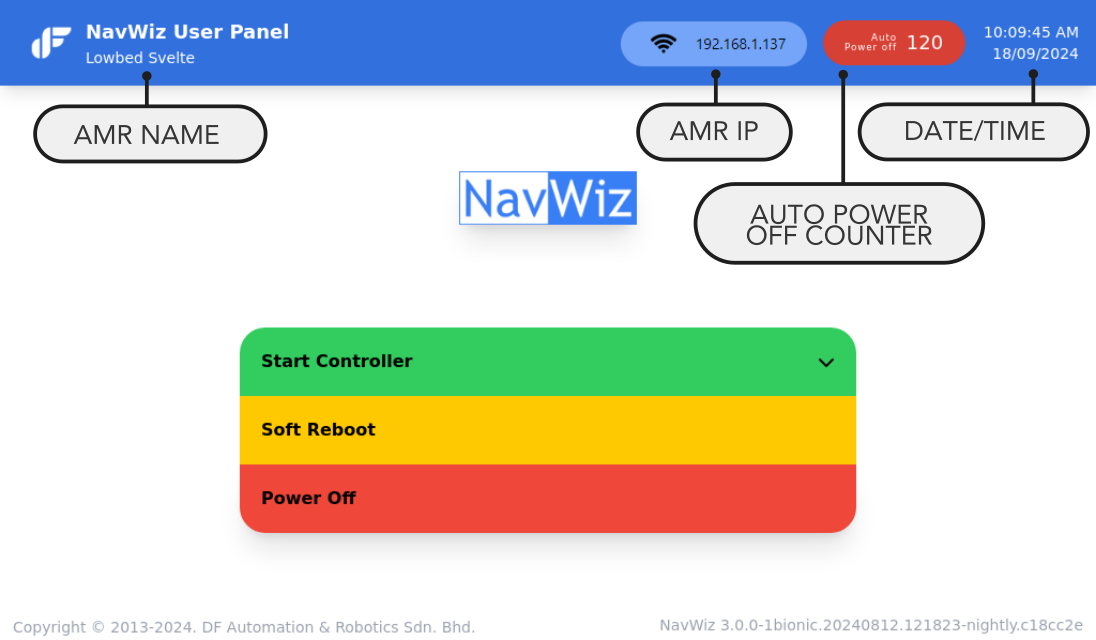
| Component | Description |
|---|---|
| AMR Name | The name assigned to the AMR, configurable in the ConfigPanel. |
| AMR IP | Once connected to Wi-Fi, the IP address assigned by the router is displayed. |
| Date/Time | Current date and time based on the configured time zone. |
| Auto Power Off Counter | The AMR Controller must be started within 2 minutes. If the counter reaches zero, the AMR automatically powers off. Click the counter to extend the timeout to 30 minutes. |
| Start Controller | Starts the AGV controller. Prompts for the protection pin (default: 123456). |
| Soft Reboot | Performs a soft reboot. Required after changes to Map, Task Template, AGV settings, or user accounts. Takes up to 15 seconds. |
| Power Off | Powers off the AMR. The AMR will power off in approximately 20 seconds. |
Trackless Map Creation
The Trackless Map Creator is used to generate environment maps for trackless (natural-feature-guided) AMRs. This feature is only available in the trackless version of NavWiz.
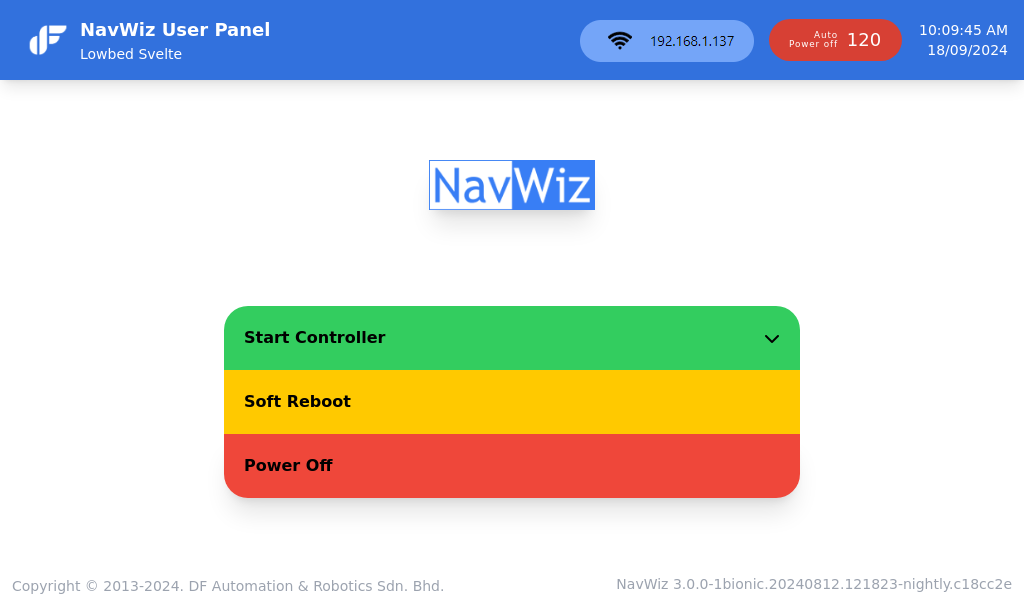
- From the boot screen, press the drop-down arrow on the right side of the Start AGV Controller button and select Start Map Creator.
- Align the starting orientation of the AMR with the orientation of the building (or walls).
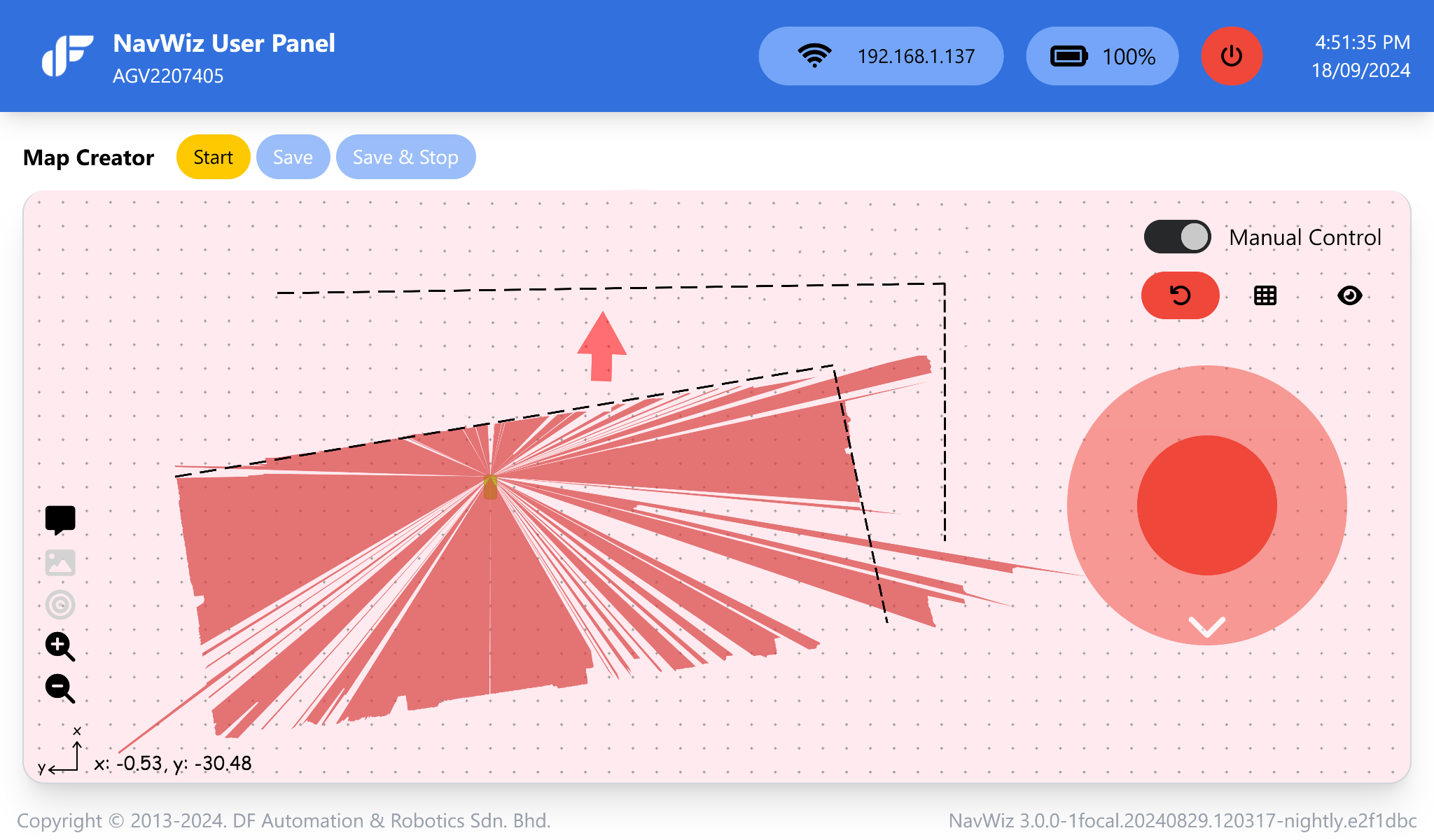
- Press the Start button to begin mapping.
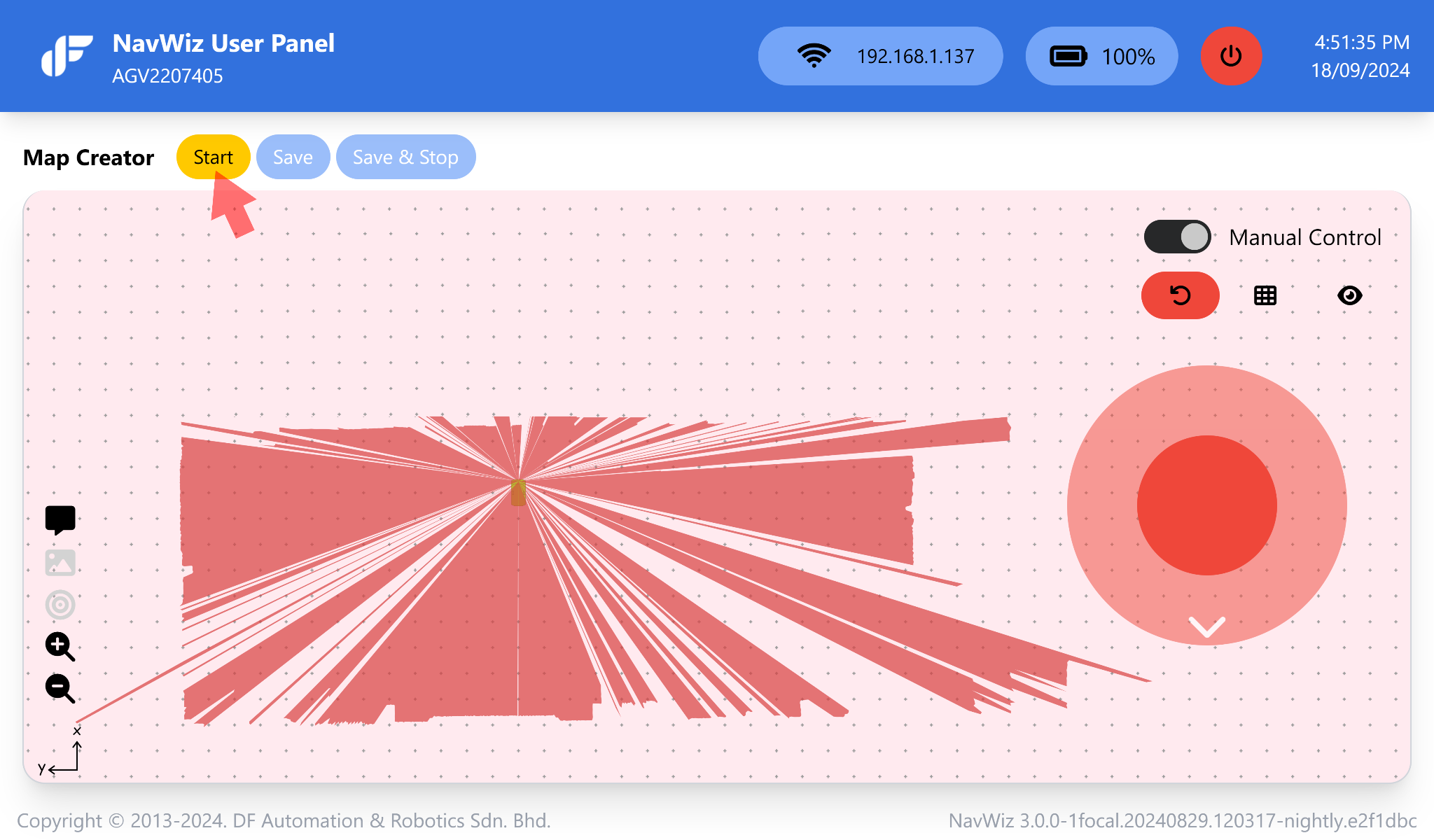
- Drive the AMR around using the wireless joystick. The generated map is automatically saved every 30 seconds. Press Save to manually save a copy of the current map.
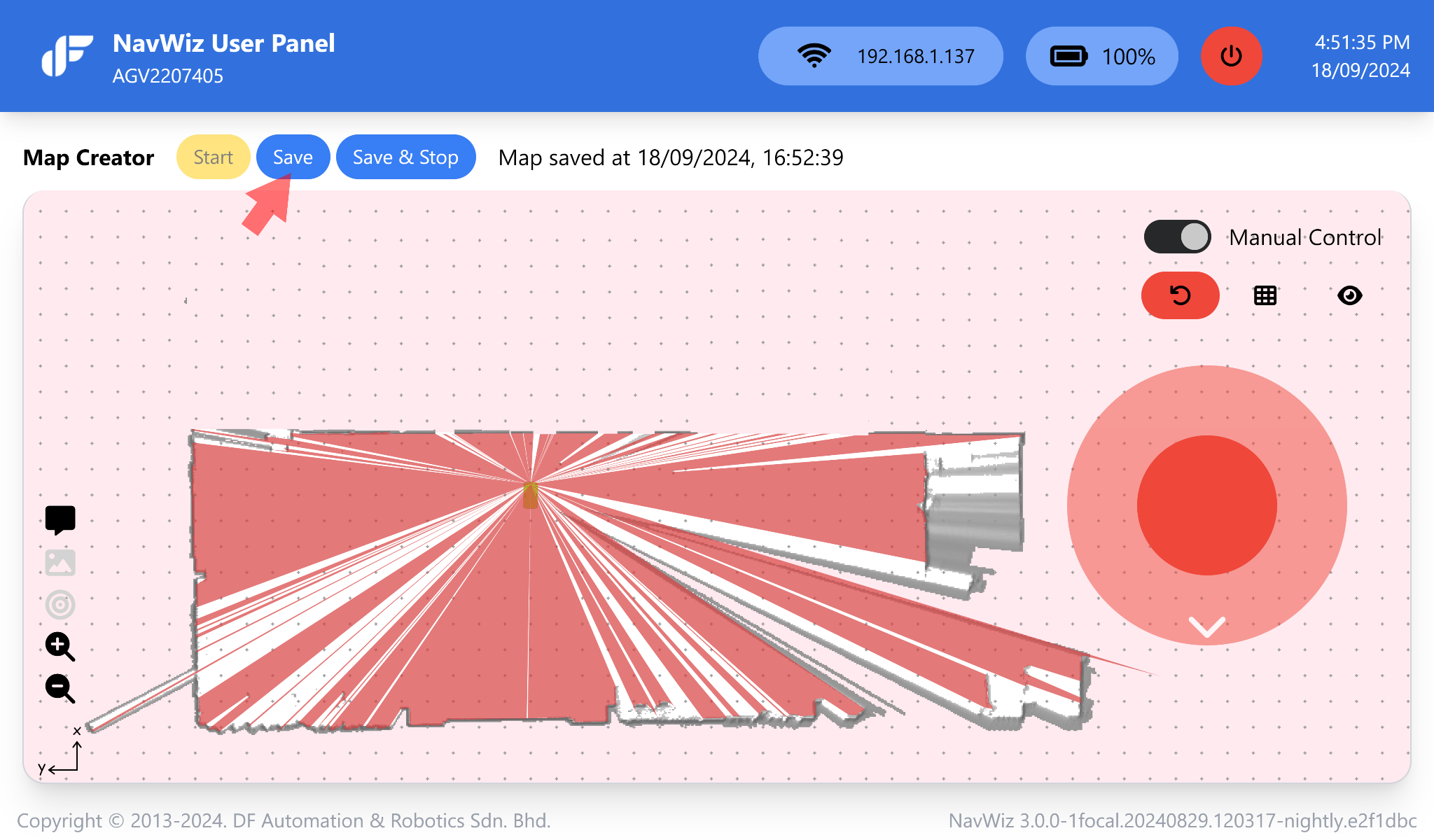
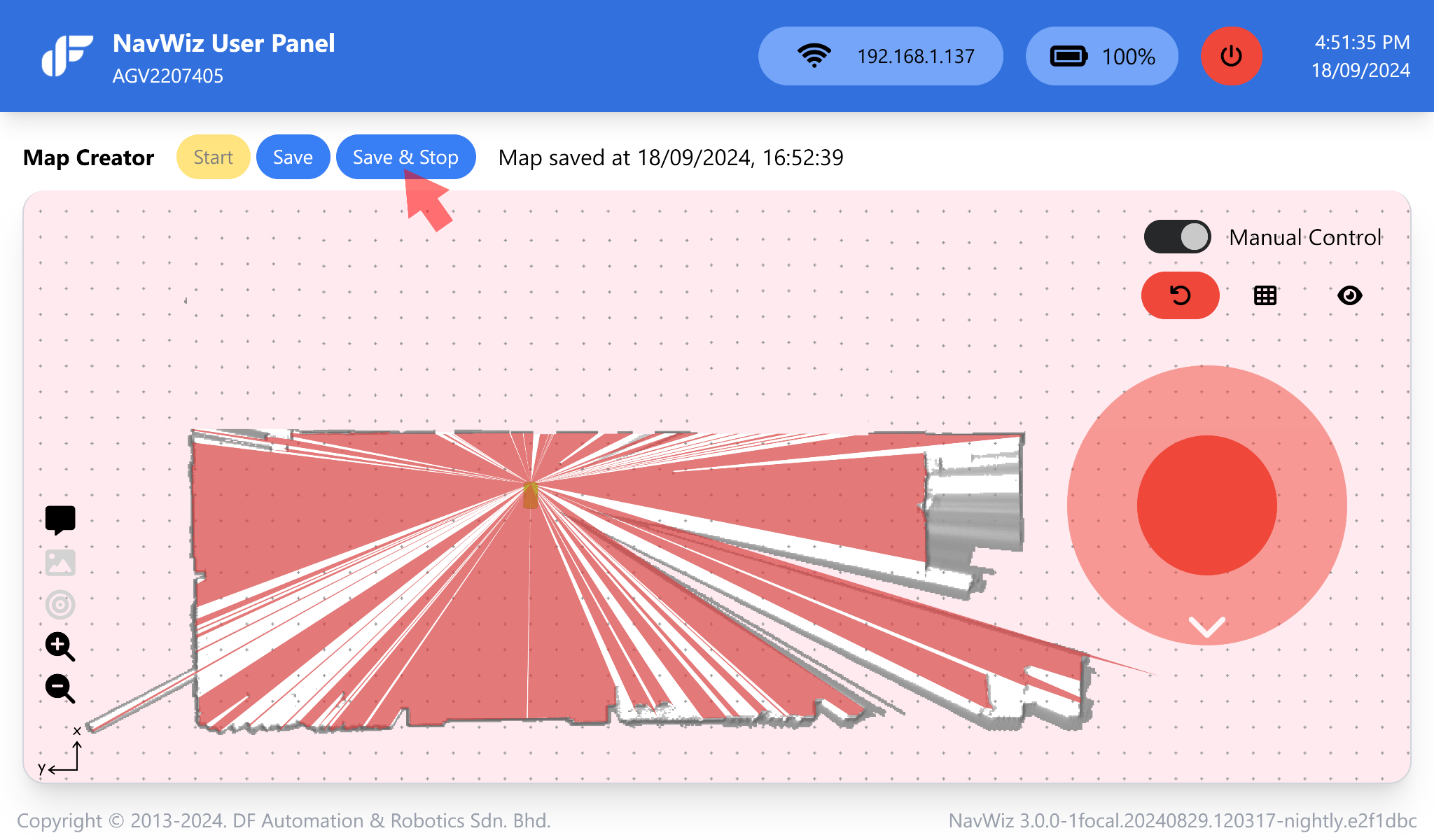
- When the mapping process is complete and you are satisfied with the result of the automatic loop closure, press Save & Stop. Then press the power button to exit.
Loop Closure Tips: When mapping sites that contain loops, start by mapping the largest outer loop first. After completing the outer loop, drive the AMR through each subsequent loop, partially overlapping with previously mapped areas.
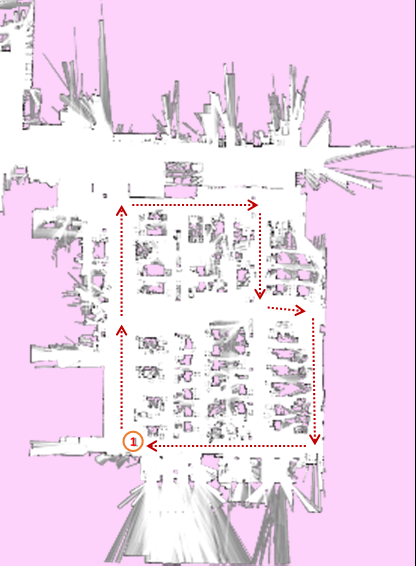
Loop Closure Explained: When mapping over a previously mapped region, newly generated features may not align properly with existing ones, resulting in duplication. The loop closure algorithm scans for these duplicated features and merges them with their corresponding previous observations.