ConfigPanel Overview
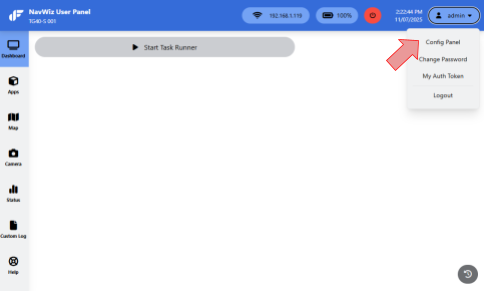
The NavWiz ConfigPanel is the central configuration hub for the NavWiz system. It is accessible only by supervisor-level accounts. To access ConfigPanel from the UserPanel, click the menu icon in the top right corner and select ConfigPanel.
The ConfigPanel provides access to the following configuration pages:
| Category | Pages |
|---|---|
| Core AMR | AGV, Audio, I/O, Laser Sensors, Maps, Parameters |
| Task Management | Task Templates, Webhooks |
| System | Backup & Restore, Network Connection, Date & Time, Users, Groups, Permissions |
| Monitoring | AGV Activities, Completed Task, System Monitor, Map Quality Score |
| Logs & Diagnostics | Custom Log, Main Log Files, Peripheral Log Files, Diagnostics, Download Log |
| Other | Assembly Info, Preventive Maintenance, Robot Configuration, White Label, Search, Help |
AGV Configuration
The AGV configuration page in ConfigPanel controls the core identity and behavior settings of the AMR. It is divided into several sub-sections: Main, Dimension Profiles, Allowed Motions, Task Trigger, and Sub-config.
Main Settings configure the fundamental identity and operating mode of the AMR:
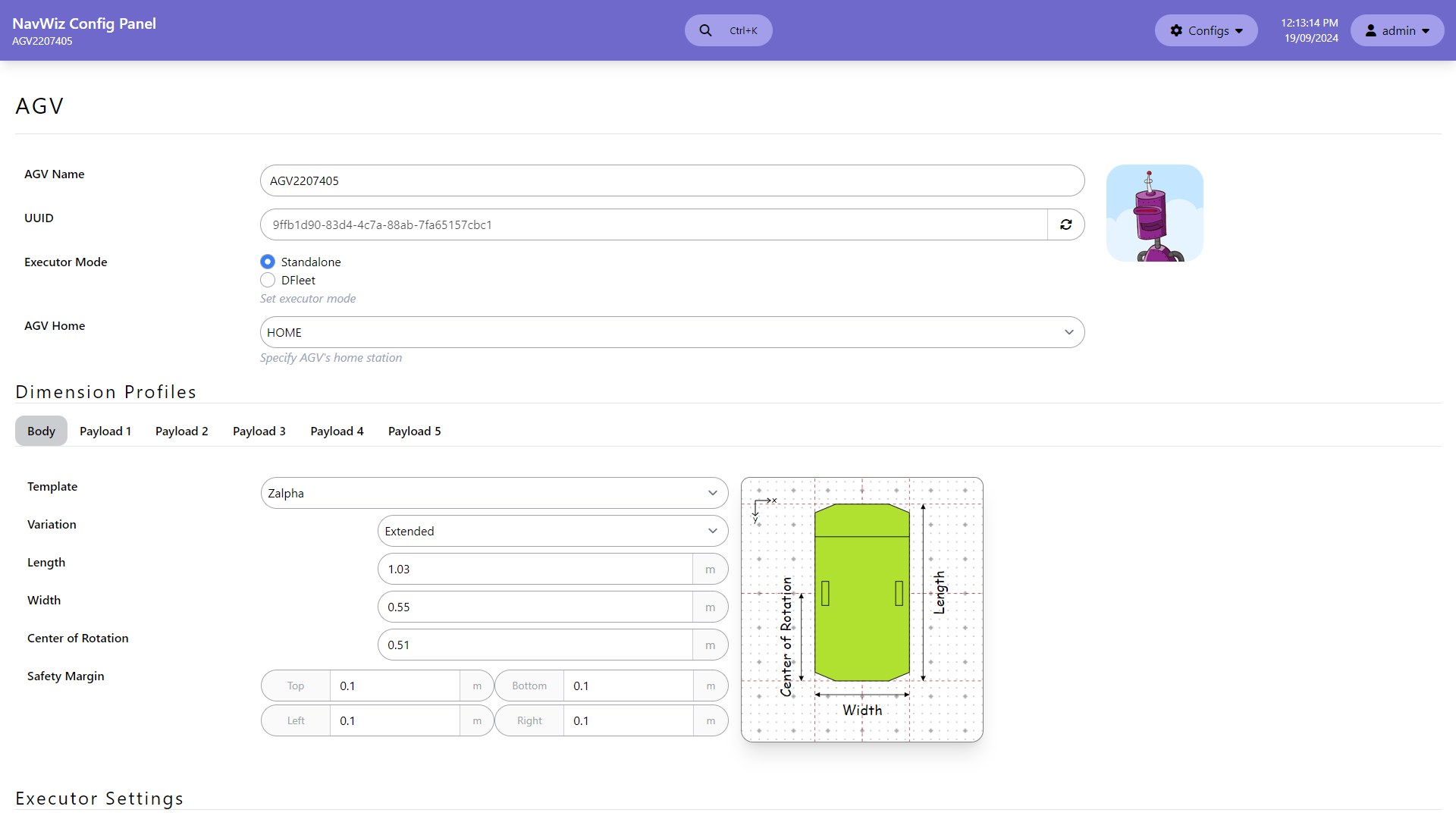
| Setting | Description |
|---|---|
| AGV Name | Assigns a name to the AMR for identification, displayed on the UserPanel and ConfigPanel |
| Executor Mode | Choose between Standalone (AMR manages its own tasks, maps, and execution) or DFleet (tasks and maps are assigned by a DFleet server for multi-AMR coordination) |
| AGV Home | Configure the home station or charging station, selected from stations in currently active maps |
Dimension Profiles allow configuration of the AMR body and payload SVG graphics for visualization, plus the safety margin for collision checking. Users can configure up to 5 payload profiles for different payload types. Profiles can be switched during operation using the "Select Dimension Profile" task template action.
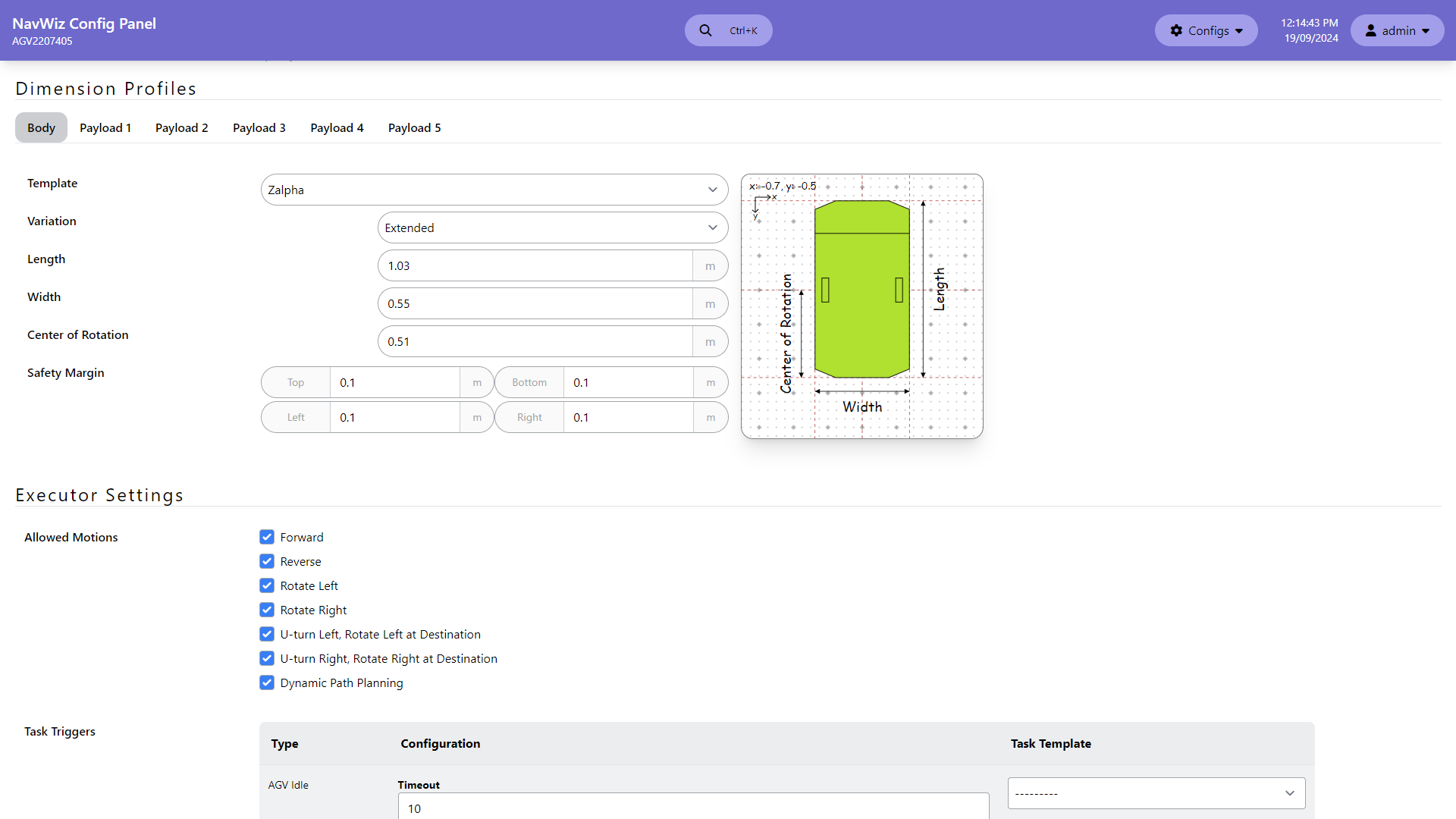
Allowed Motions enables or disables specific navigation types the AMR is allowed to perform. Certain AMR hardware may not support all motion types. The "Dynamic Path Planning" option is only available if the NavWiz version supports it.
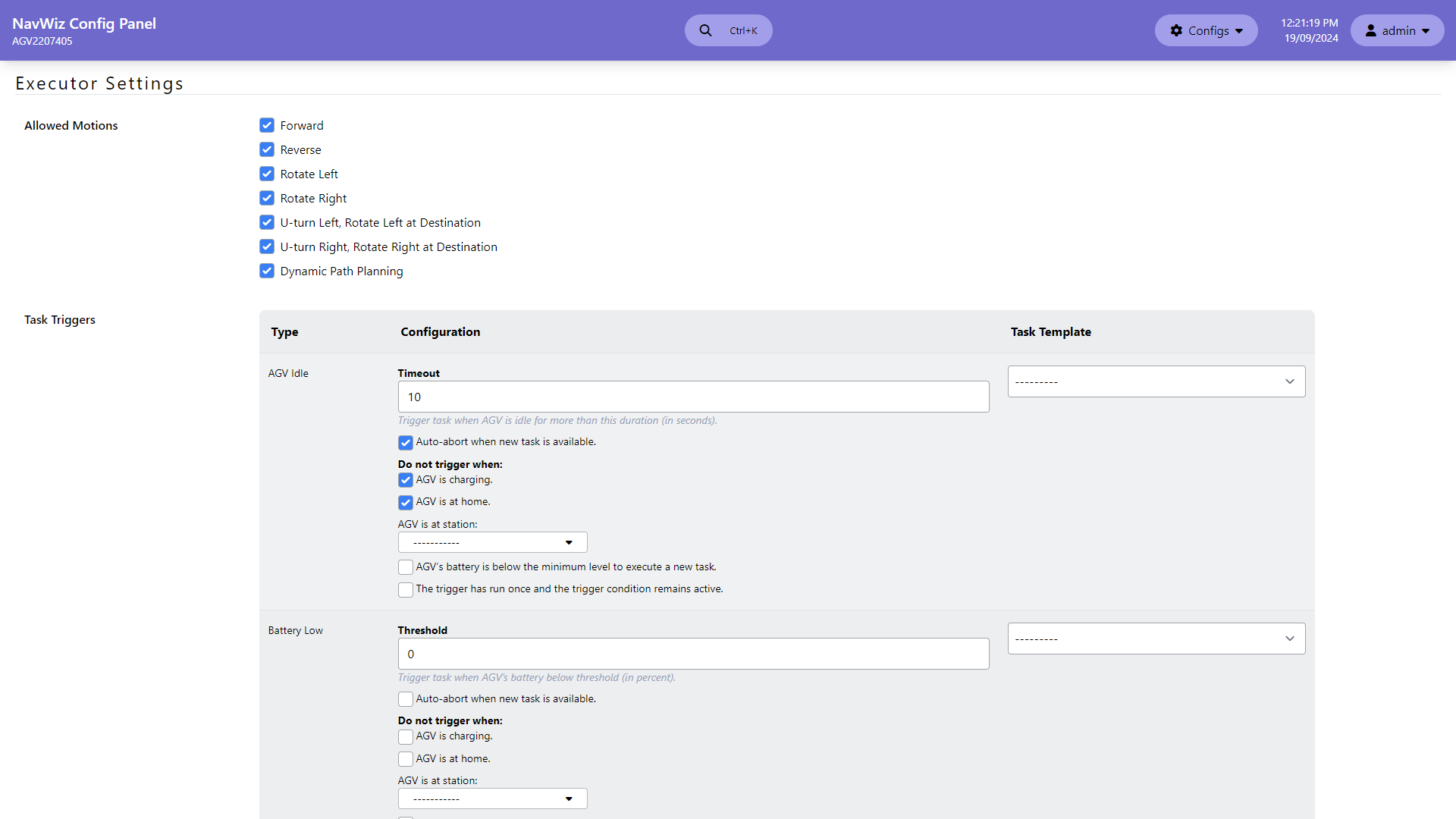
Task Triggers configure automatic task execution based on conditions:
| Trigger | Description |
|---|---|
| AGV Idle | Triggers a task after a configurable timeout period of inactivity. Can be set to auto-abort when a new task arrives. Optionally suppressed when charging, at home, at specific stations, or when battery is low |
| Battery Low | Triggers a task when battery drops below a threshold percentage. Same suppression options as AGV Idle. Typically used to send the AMR to a charging station |
Sub-config controls initialization and startup behavior:
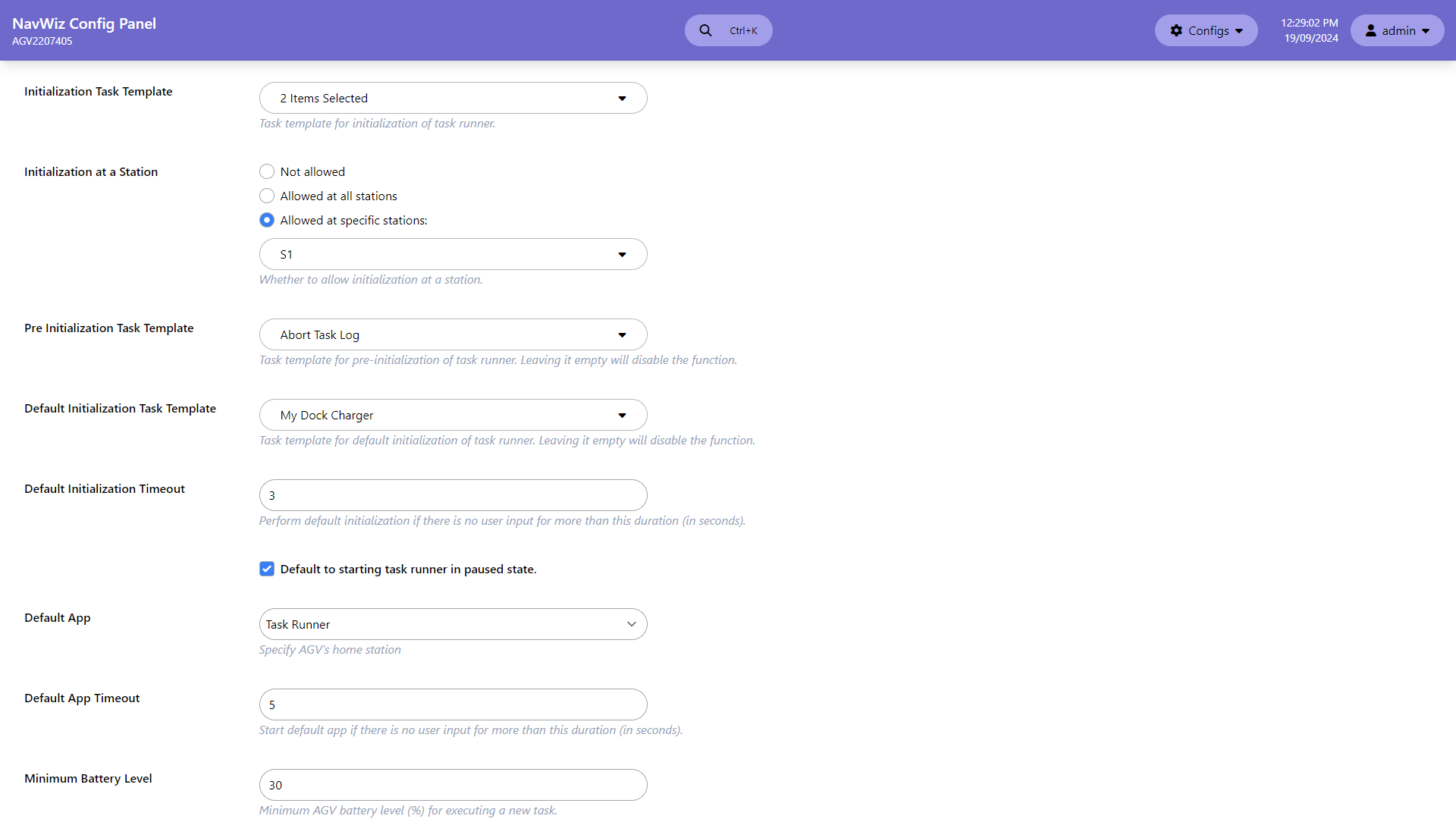
| Setting | Description |
|---|---|
| Initialization Task Template | Task template for custom initialization of the task runner. At least one must be selected |
| Initialization at a Station | Configure which stations are available for initializing the AMR position |
| Pre Initialization Task Template | Task to run before initialization (leave empty to disable) |
| Default Initialization Task Template | Task to auto-run if no user input within the Default Initialization Timeout |
| Default to starting task runner in paused state | Start the task runner in paused mode by default |
| Default App / Timeout | App to auto-launch if no user input within the timeout period |
| Minimum Battery Level | Minimum battery percentage required to execute a new task |
Audio and I/O Configuration
Audio Configuration (ConfigPanel > Audio) is divided into a General tab and up to 10 Playlist tabs.
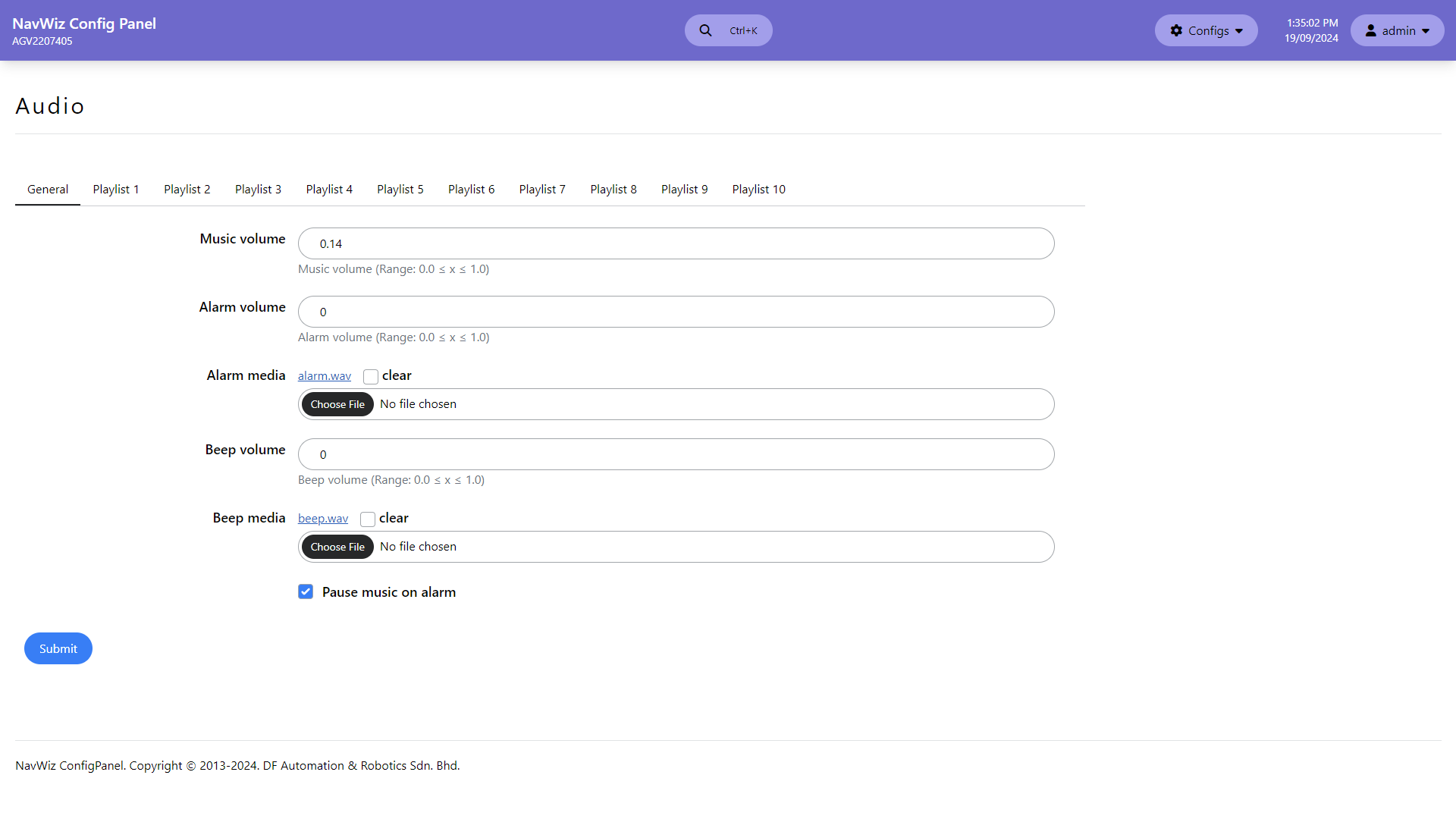
The General tab controls system-wide volume settings:
| Setting | Description | Range |
|---|---|---|
| Music volume | Volume for music playback | 0.0 (0%) to 1.0 (100%) |
| Alarm volume | Volume for alarm playback | 0.0 to 1.0 |
| Alarm media | File for alarm media (WAV format only) | — |
| Beep volume | Volume for button press feedback on Zalpha | 0.0 to 1.0 |
| Beep media | File for beep media (WAV, recommended under 1 second) | — |
Each Playlist tab configures one of 10 music playlists. Playlists support MP3 and WAV files, with options for shuffle and loop playback. Playlists are referenced by task template actions (e.g., "Play Music") to play specific playlists during AMR operation.
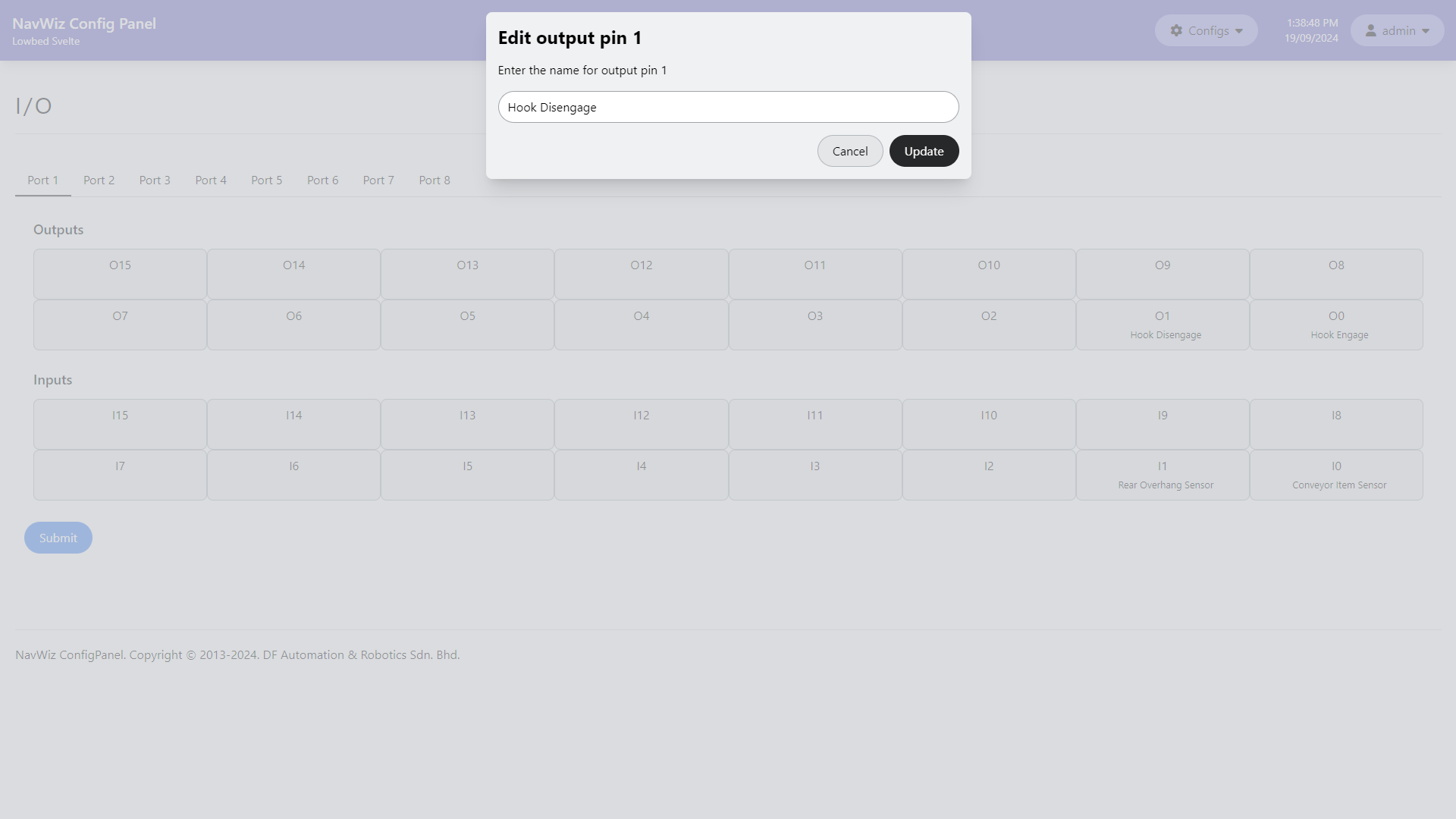
I/O Configuration (ConfigPanel > I/O) allows users to set name hints for I/O pins. These labels are displayed on the Hardware Test page and the IO View popup in the Task Runner interface, making it easier to identify what each pin is connected to.