
Calibrate Line Sensor
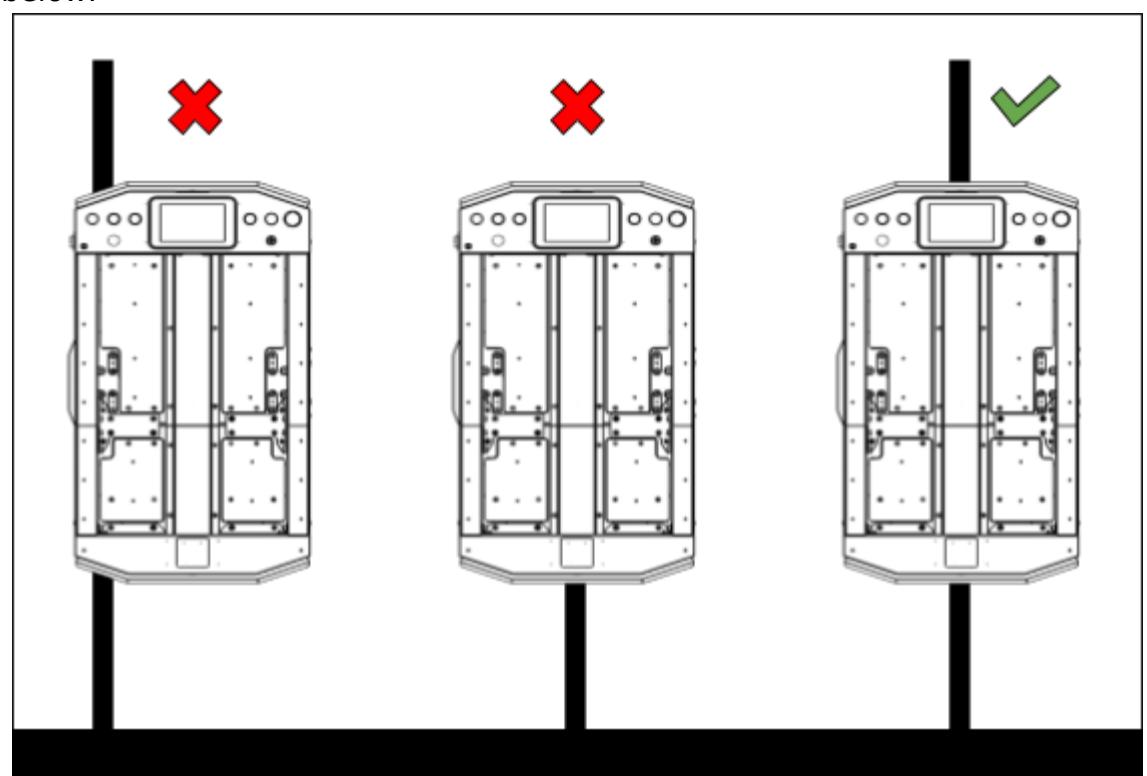
- Place AGV on the middle of the magnetic tape as shown in the diagram below.
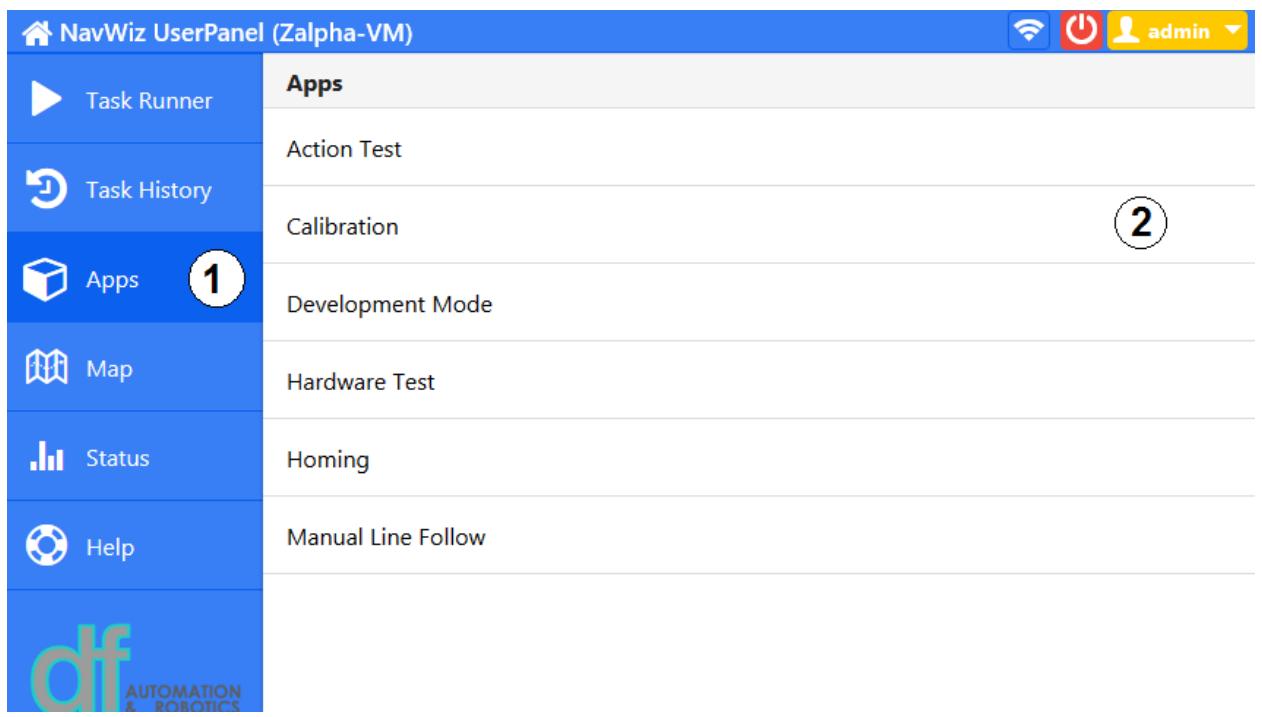
For NavWiz v1.13 and above
- Run the Calibration app.
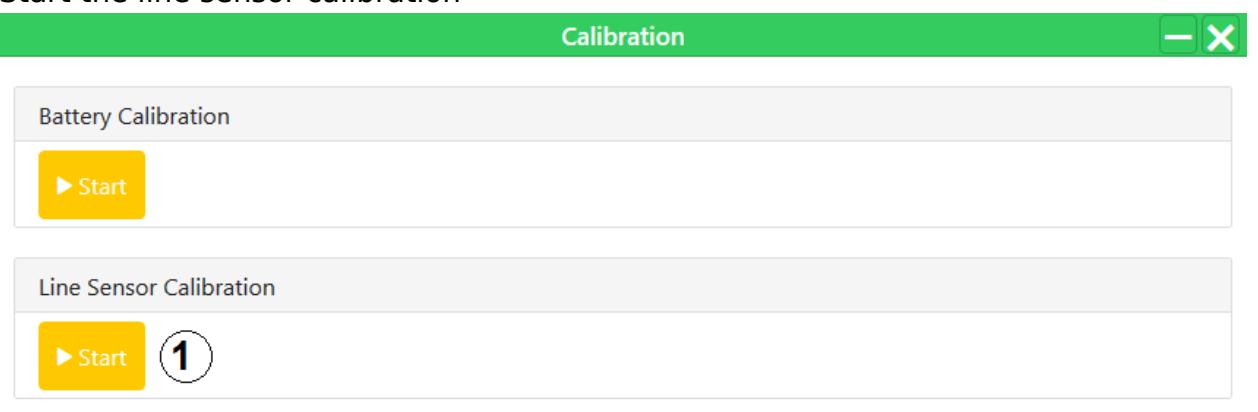
- Start the line sensor calibration.
For NavWiz Prior to v1.13
- Run the Action Test app.
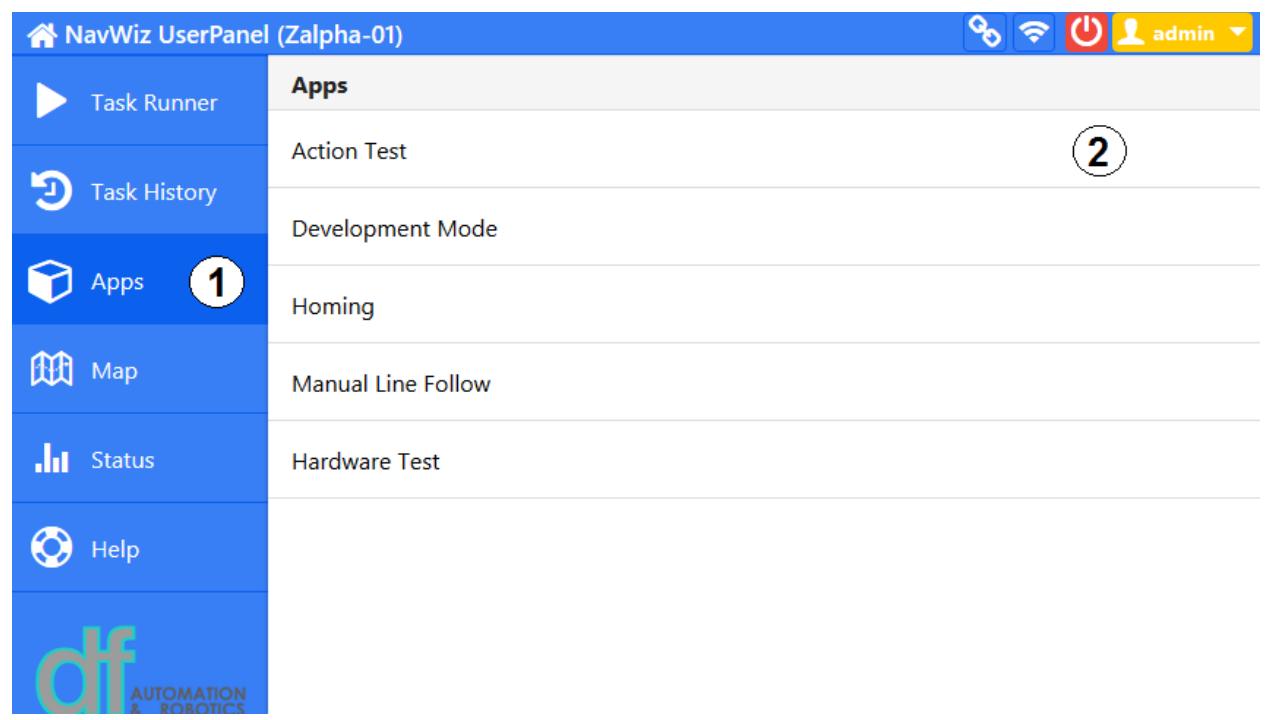
- Choose the line calibration action and press "Start".

- AGV will rotate slightly to the left and to the right, then return to its center position. After that, a popup will be shown indicating the calibration is completed.