
Download Log Files
This guide will walk through step by step to download log files from DFleet system
- Navigate to ConfigPanel of the DFleet system. You will need to login using admin or supervisor account.
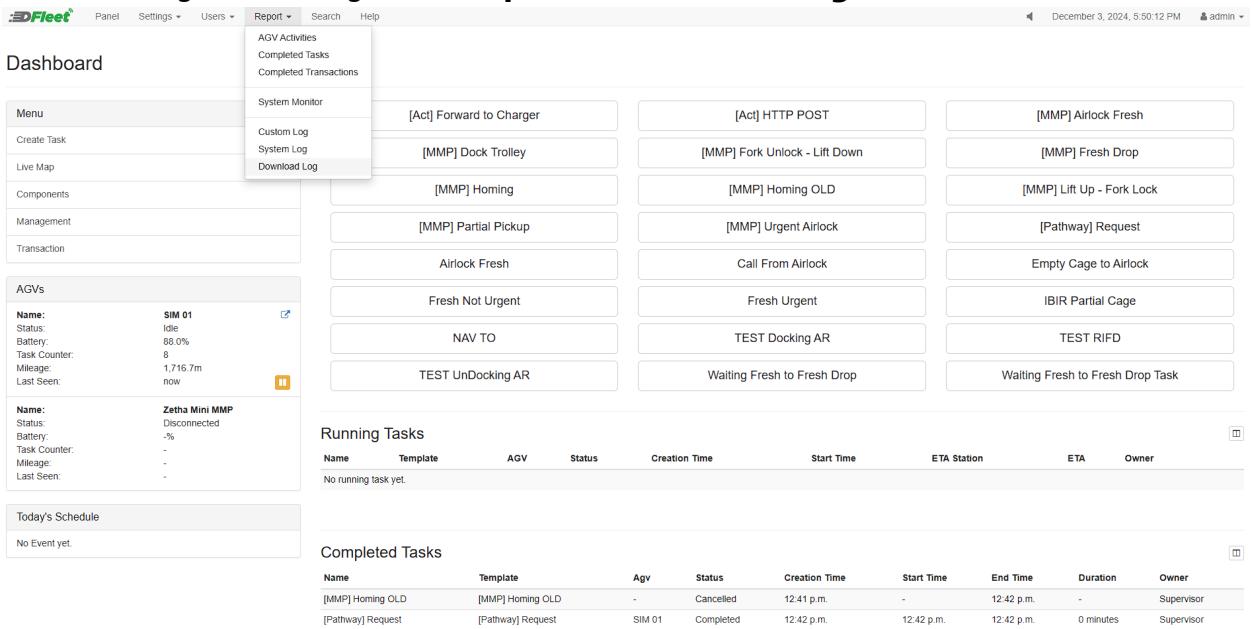
- Under ConfigPanel navigate to Report > Download Log.
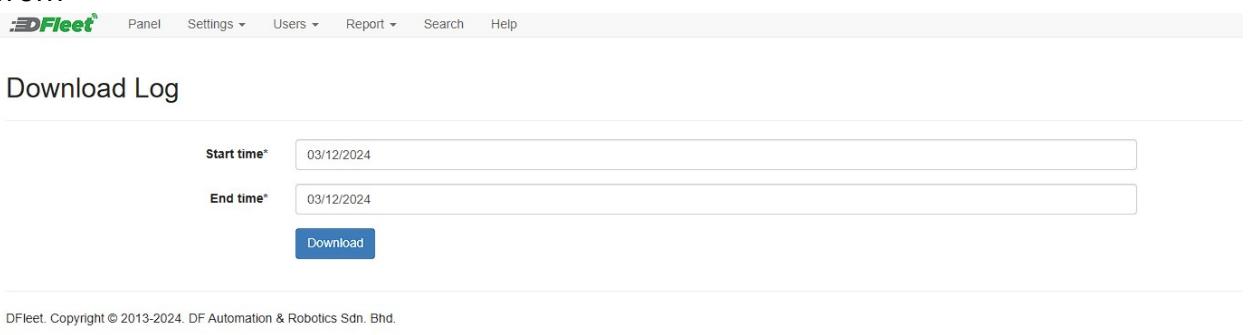
- Under this page, you will see a date range for the log file to be downloaded from.
Take note that the date shown on the executor files represent the date for the log. These log files consist of the logging of the execution for the NavWiz and will be useful for the troubleshooting of the execution.